What's new?
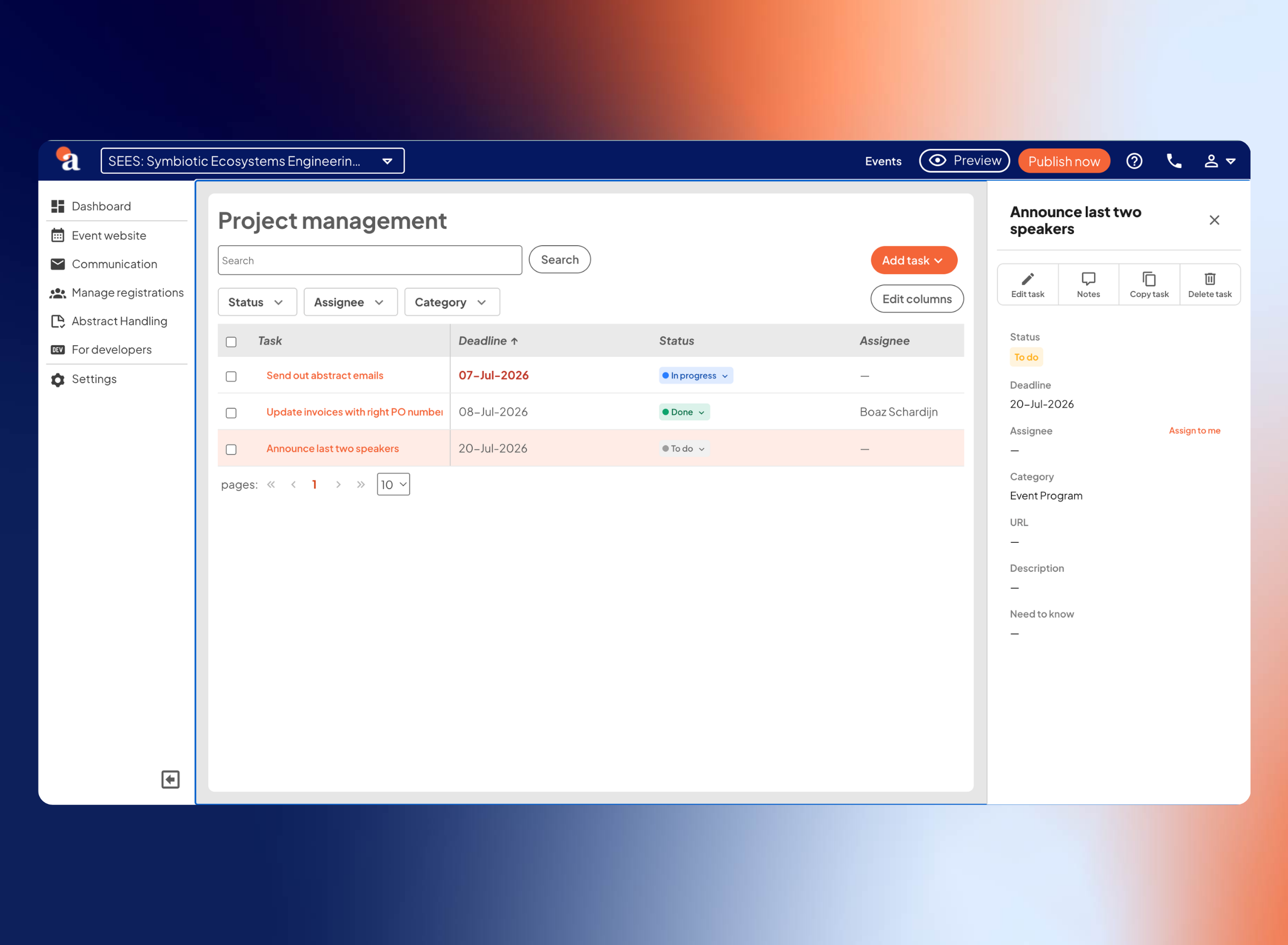
As an event manager, you keep track of all the different facets to make your event a success. To help you maintain a clear overview of all open tasks, we recently introduced a new project management feature. With this, you can track and delegate all event-related tasks directly from your aanmelder.nl environment. In addition, the ‘Get Started’ widget now shares the spotlight on your dashboard with the new ‘Tasks’ widget.
The new tasks widget is designed to show you exactly what matters to you right away. The widget automatically sorts tasks by relevance: first, you'll see the tasks specifically assigned to you, followed by pending tasks, and at the bottom, the tasks of your colleagues. This allows you to maintain a complete overview of all tasks without your own to-do list getting snowed under.
How does it work?
- View your to-do list: In the updated widget on your dashboard, your tasks automatically appear at the top.
- Create tasks: You can easily add a title, description, and deadline to a task.
- Assign tasks to team members: Link a task to a specific member of your organization to distribute roles clearly.
- Add a direct link: Paste a relevant URL into the task field to link directly to the correct page, briefing document, or a knowledge base article with just one click.
- Color-coded prioritization: Approaching deadlines automatically turn red in the widget, so you instantly see what needs priority.
Why does this make your workflow more efficient?
- Everything in one place: It replaces scattered lists and external systems, centralizing all your event-related tasks directly in your dashboard.
- Targeted focus: Thanks to the automatic sorting, you see what you need to do today first, and only then what the rest of the team is working on.
- Fewer clicks: The added URL button takes you straight to the correct settings page within the platform.
You bring the overview back to your planning – and we've got your back.
Stay tuned for updates. Keep checking the newsletter, aanmelder.nl’s LinkedIn channel and/or the ‘New features – Event Management’ blog category for the latest updates.