What's new?
Last year you spent hours on that one page. The layout is right, the text reads well, the structure does exactly what you want. Now you're setting up a new event and you're back at square one. Or you copy the whole previous event, even though you only need a bit of it.
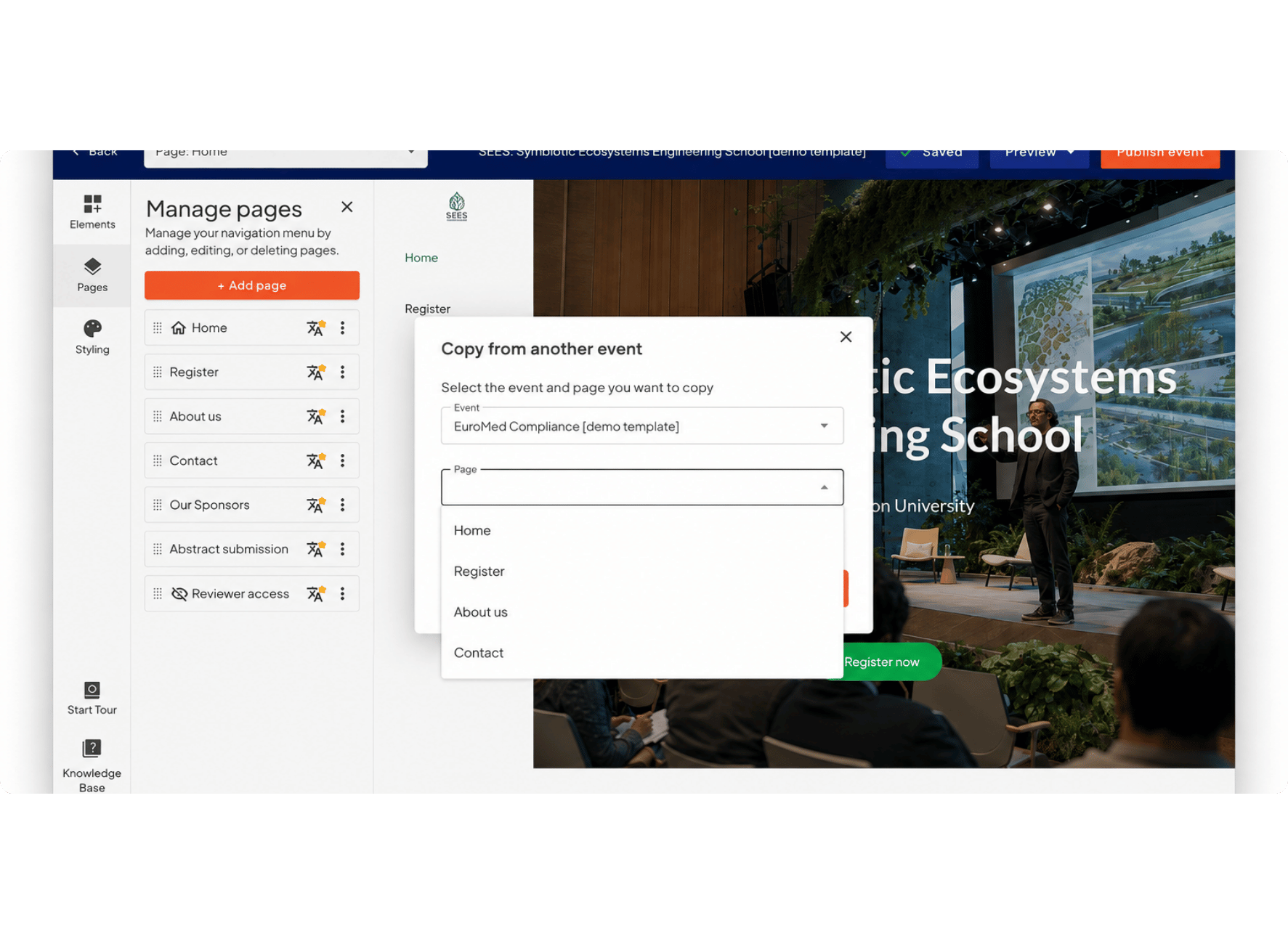
Not anymore. From now on you can copy individual pages from earlier events straight into your new event website, right there in the website builder. You choose which ones to bring over.
Useful when you don't want to duplicate an entire event, but you do want those four pages that took the most work. Everything else you build from scratch.
How does it work?
- Open the website builder for your new event.
- When you add a page, choose the option to copy an existing page.
- Select the event you want to copy from.
- Check the pages you want to bring over.
- They land on your new site with the content and layout intact.
- Update the text, dates and images where needed.
Why does this make your workflow more efficient?
- A new event website goes live faster, without rebuilding everything.
- Copy only what you need, instead of duplicating a whole event and clearing out the rest.
- Work from earlier events stays useful instead of going unused.
- One consistent look across your events, even when the rest of the site is new.
- Less manual work, and less chance you forget to move something over.
Stay tuned for updates. Keep checking the newsletter, aanmelder.nl’s LinkedIn channel and/or the ‘New features – Event Management’ blog category for the latest updates.