What's new?
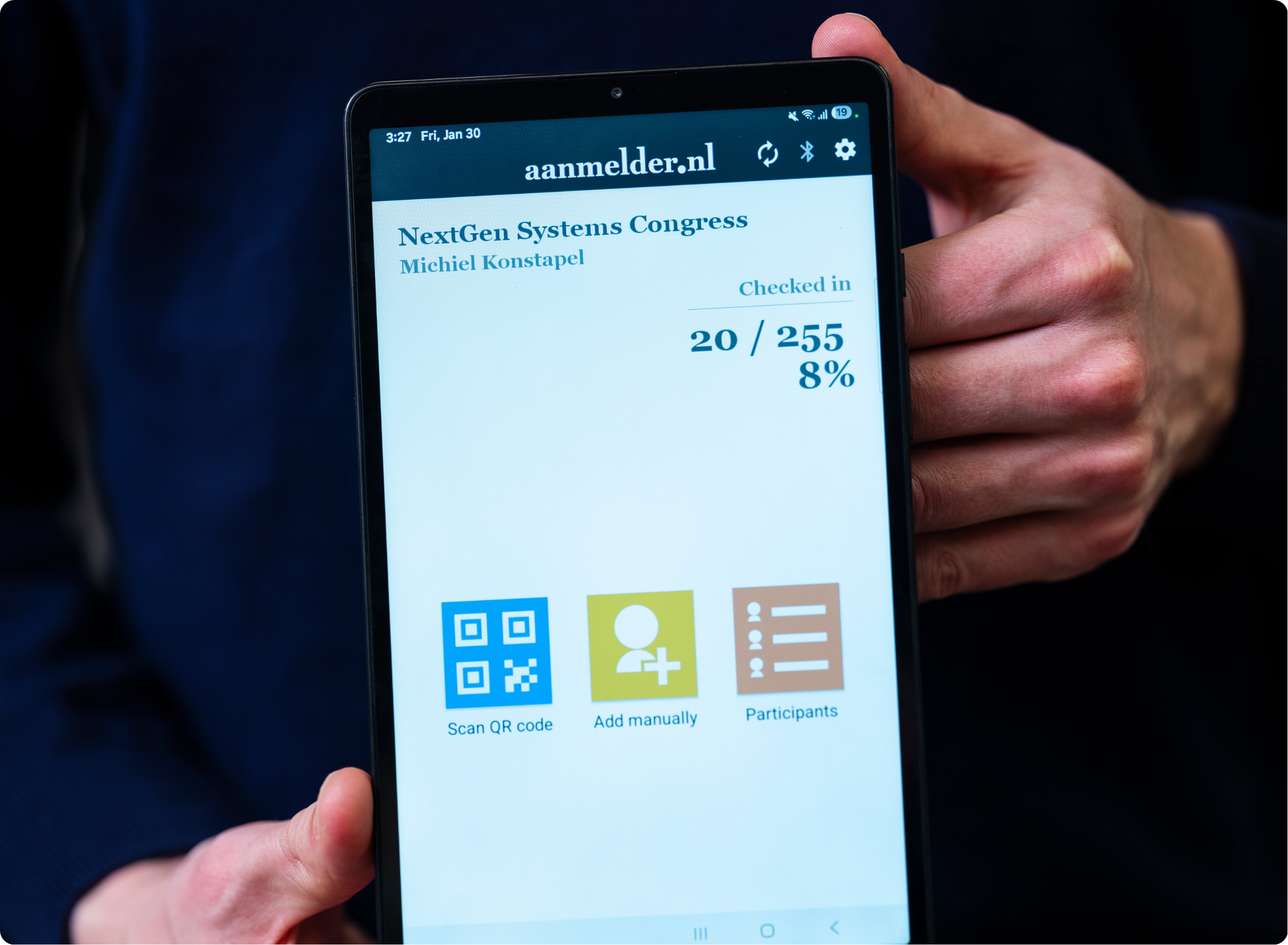
With Check-in Mobile, you can check in your attendees directly using your mobile phone. You don't need to print name badges, but you get immediate insight into attendance. Recently, it has also become possible to track which specific sub-sessions attendees have checked into.
With this new location management feature, you can easily distinguish between the specific locations where your attendees check in. In the mobile app, 'Check-in' is the default location. You can't edit this, so your basic registration is always accurate. Want to add extra locations, such as Room A where a specific workshop is being held? Or Room B where a team-building activity takes place? You can easily set this up in your dashboard. From 'Settings' in the app, you can effortlessly switch between check-in locations. This gives you easy insight into the data per sub-session, so you keep full overview.
The app always shows in real-time where you are currently checking people in. Switching to another location? Then you will only see the statistics for that specific spot. So don't be alarmed if the counter suddenly drops to zero; it simply means no visitors have checked into that location yet. Afterwards, you will find a clear and complete overview of all locations in your registration export.
Did you quickly do a test registration? Or did someone accidentally check into the wrong session? You can easily undo this via the Check-in Mobile app.
In addition, we are introducing a feature that several customers have requested: the Sync Queue. You might already know this reliable backup from our check-in tablets, but it has now arrived on the mobile app too! Should the Wi-Fi at the venue unexpectedly drop out? No need to panic. Our software saves all check-ins locally within the app. As soon as the connection is restored, the data synchronizes completely automatically with the server. This way, you won't lose any check-in data, your check-in will always run smoothly, and you maintain complete control.
How does it work?
- Configure your locations in advance: Activate the Check-in Mobile feature for your event, install the app, and create the desired locations in the dashboard.
- Create your access code: Keep in mind that generating your very first access code can take up to 30 seconds. After that, this process will be much faster in the future!
- Navigate the app: Go to Settings in the app and click on Check-in locations. Here, you will see the active location and can immediately switch to another room.
- Scan your attendees live: Scan your visitors' QR codes at the entrance of the specific room or session. The app instantly displays the real-time influx for that specific spot.
- Rely on the automatic backup: If the connection drops out, the Sync Queue stores the data safely until you are back online.
- Export your marketing data: Afterward, download the registration export, which now includes the exact check-in location for each attendee. This allows you to see precisely who attended which session. Very useful if you want to assign PE points (continuing education credits) afterward, for example!
Why is it important?
- Complete control and overview: You instantly see the attendance at various sessions, giving you valuable data for your post-event evaluation.
- No more Wi-Fi stress: Thanks to the Sync Queue's offline mode, room check-ins keep running smoothly without interruptions or data loss.
- Work more efficiently: You no longer have to manually piece together who attended which workshop after the event; everything is instantly in the right place.
Stay tuned for updates. Keep checking the newsletter, aanmelder.nl’s LinkedIn channel and/or the ‘New features – Event Management’ blog category for the latest updates.